Available on iOS and macOS

Design Peyote stitch patterns with a native Apple workflow.

Beadly helps you sketch bracelet layouts, build color palettes, mark completed beads, and export printable pattern sheets. It is built for iPhone and Mac, so the same project can move from quick edits on iOS to larger planning sessions on macOS.

.beads document-based project files
PDF printable pattern export
7 languages including Japanese and Chinese
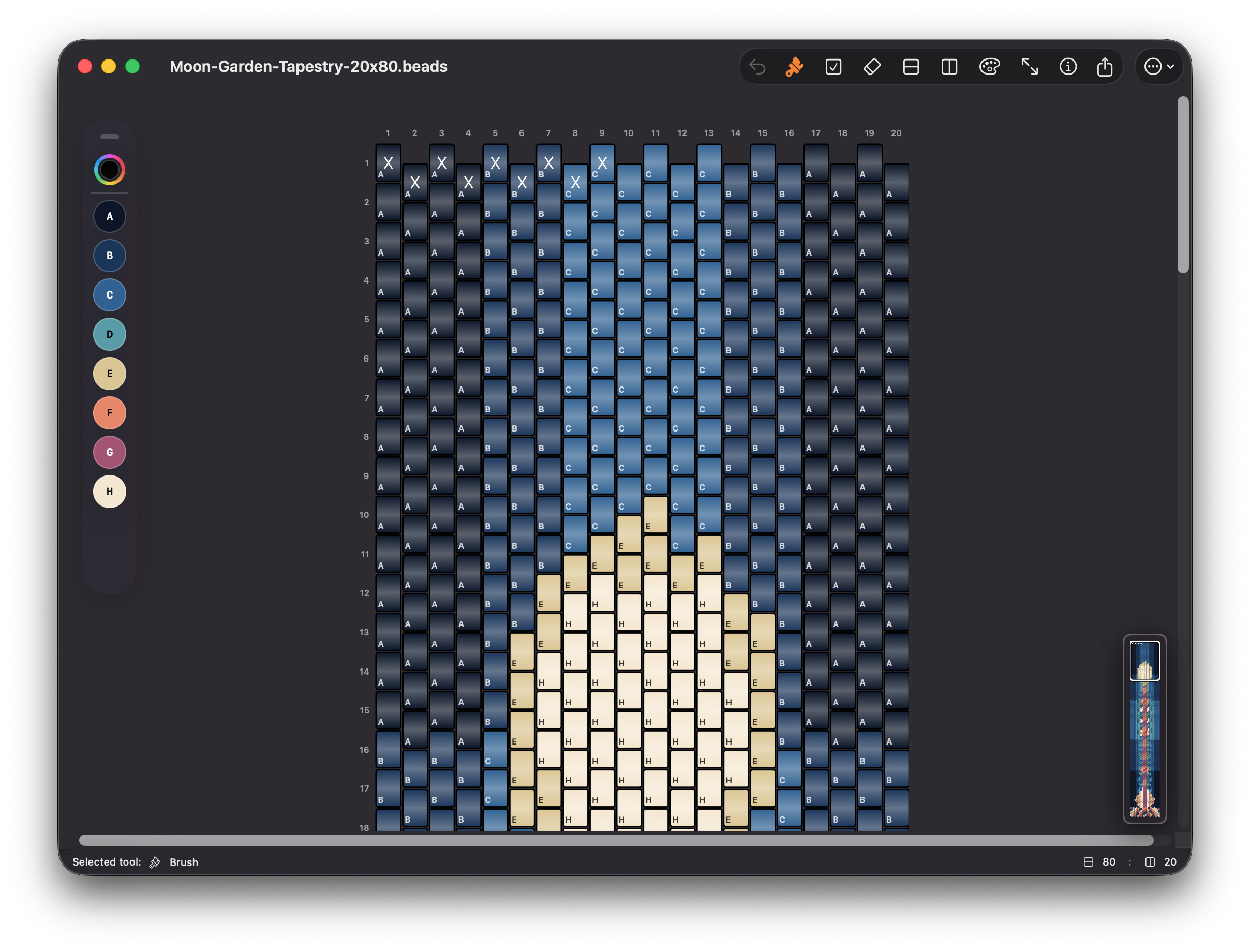
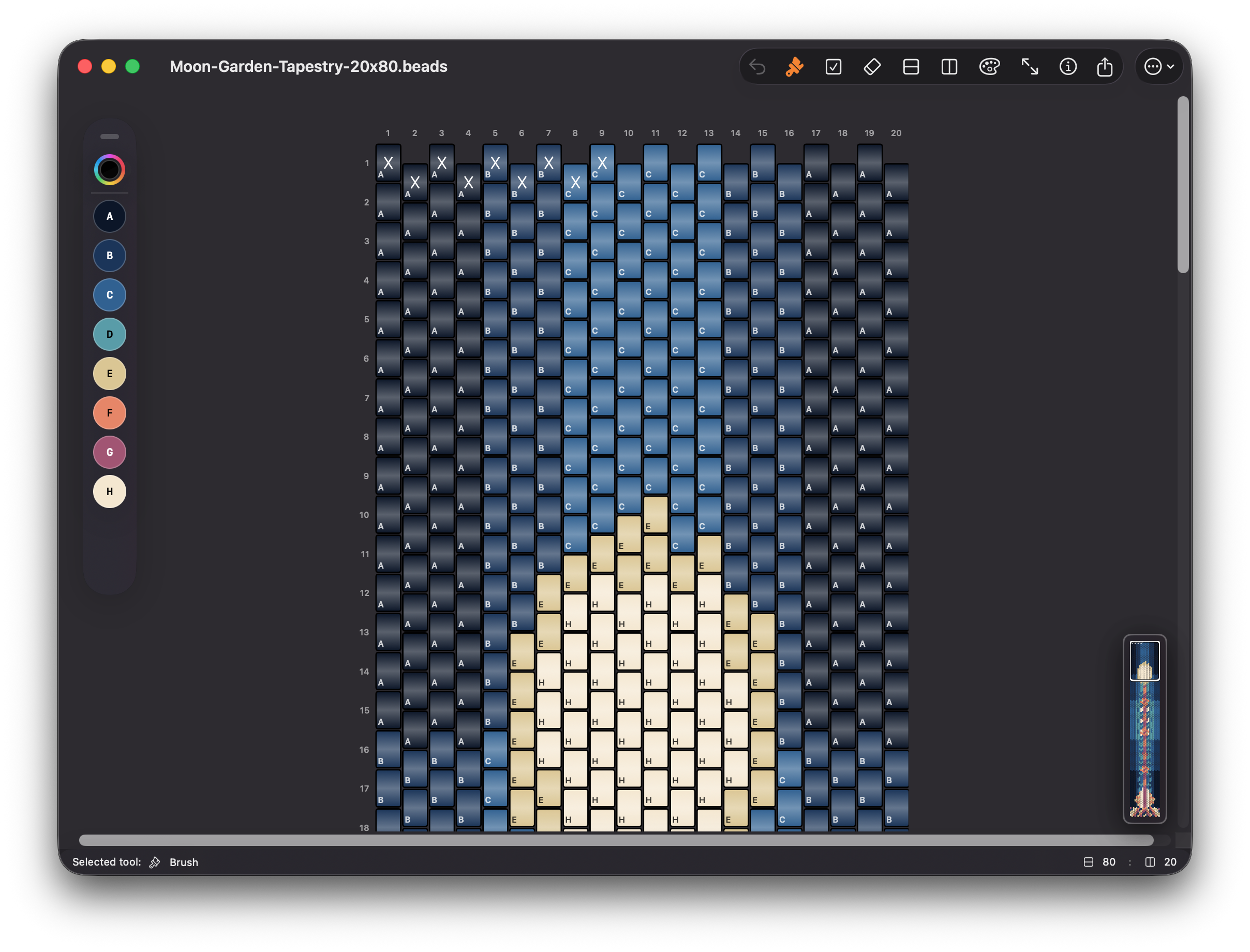
Beadly on macOS showing the main bracelet design workspace
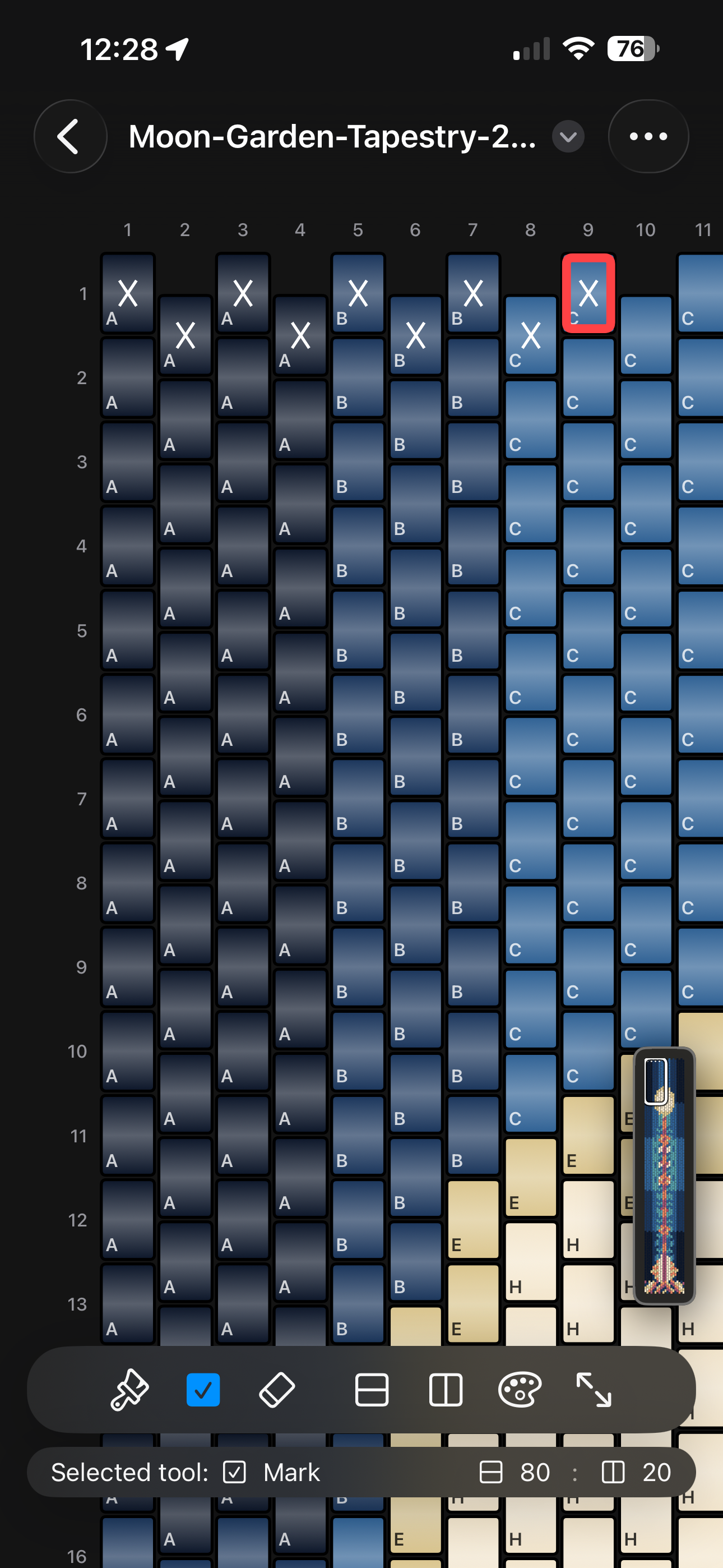
Beadly on iPhone showing a secondary workflow view
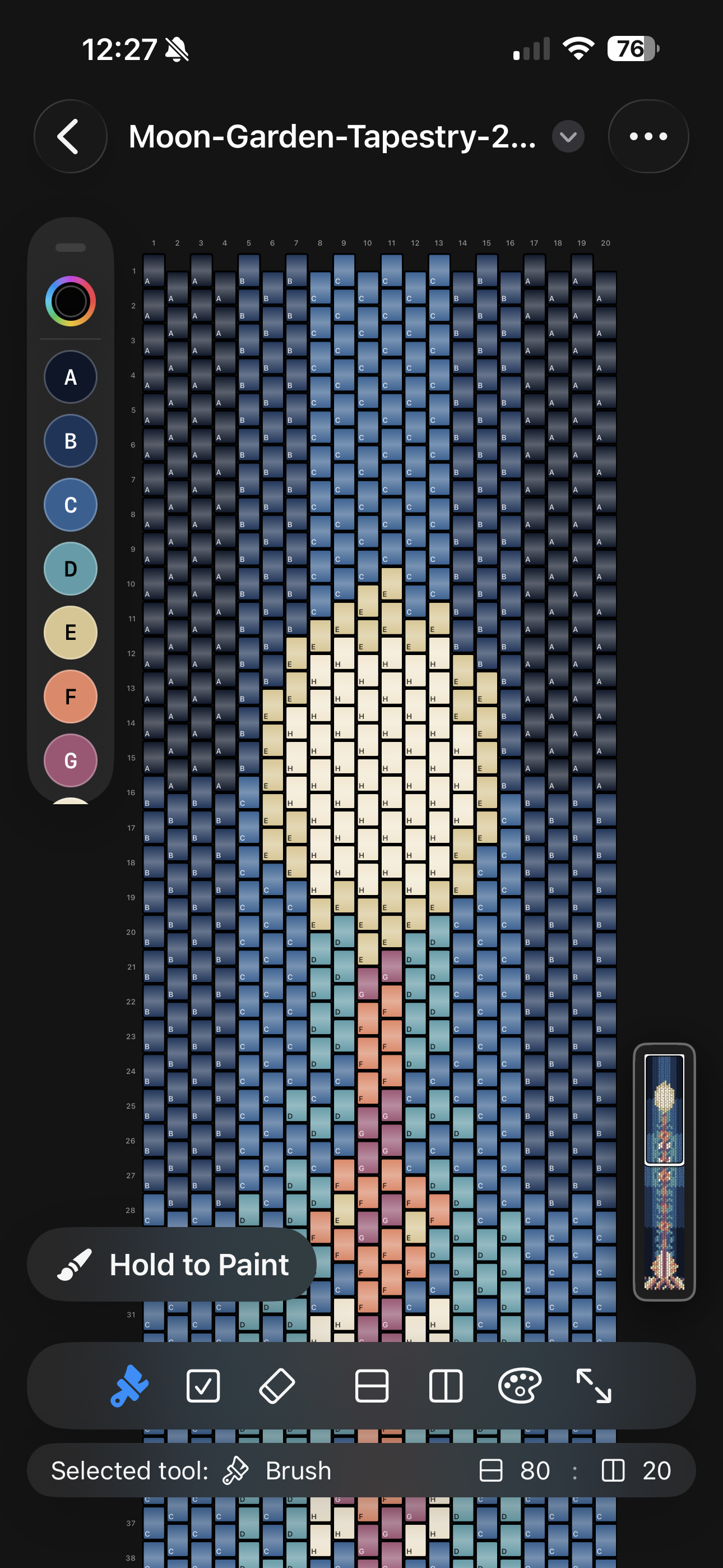
Beadly on iPhone showing the main editing canvas

Why Beadly

From first draft to printable pattern.

The app is built around real bracelet design work: map editing, palette control, progress tracking, and document export, all wrapped in a native Apple interface.

Map editing

Draw patterns bead by bead with tools that stay fast.

Switch between Brush, Mark, and Erase tools, paint across multiple beads in a continuous stroke, and keep control with undo, resize, and row or column edits.

  • Create new maps with custom dimensions
  • Insert or delete rows and columns without rebuilding the design
  • Resize the canvas while preserving existing bead data
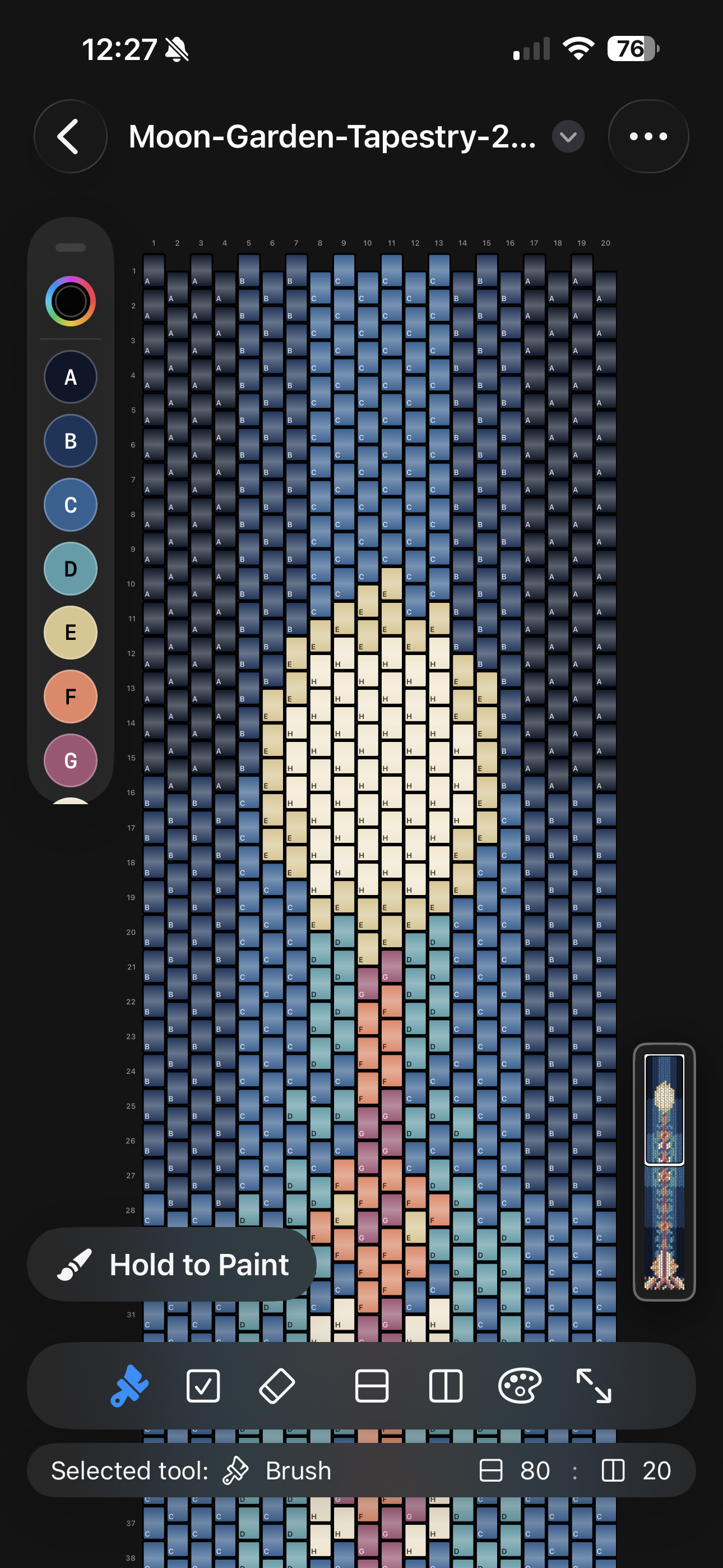
Beadly on iPhone editing a Peyote bracelet pattern

Color workflow

Build palettes automatically and keep every shade organized.

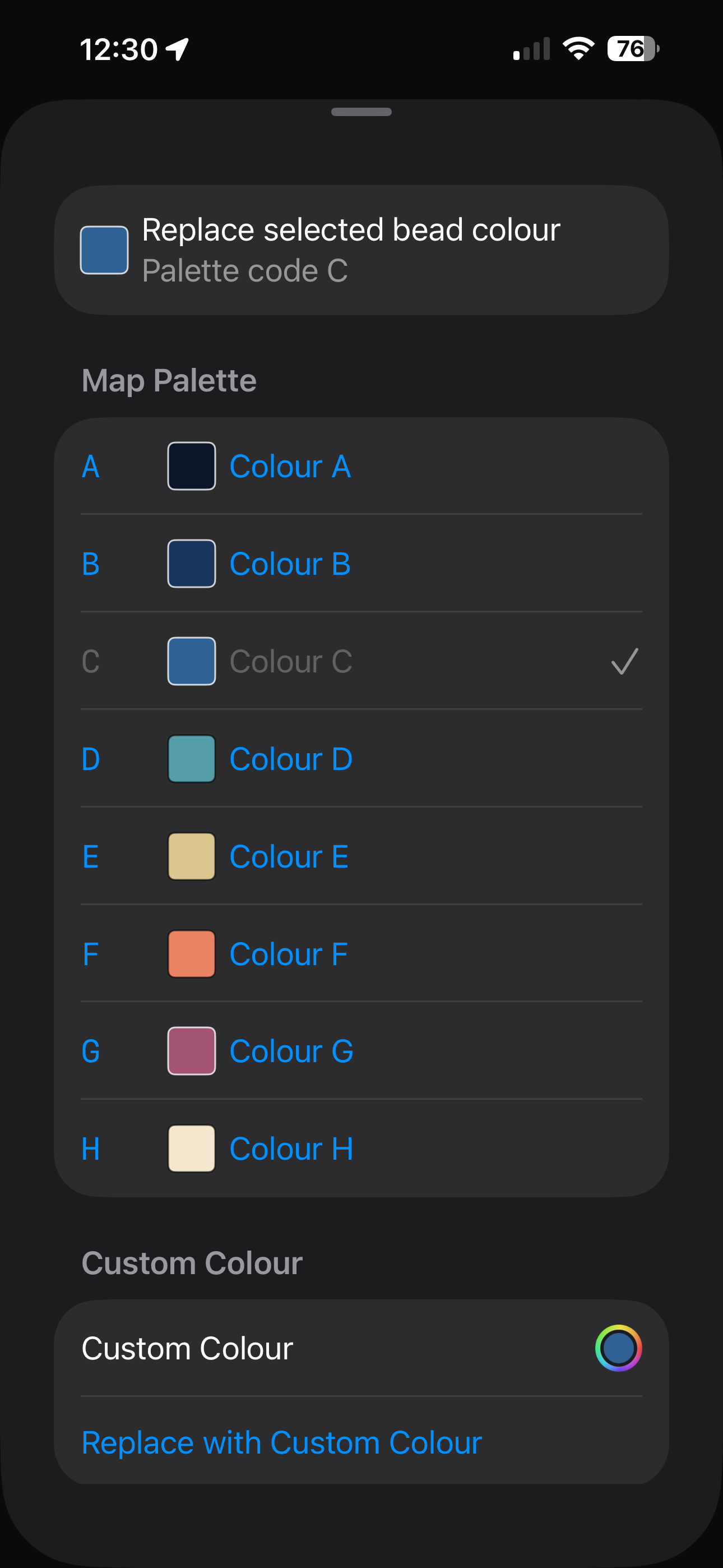
Beadly can generate a palette from the beads you paint, assign palette codes, and let you quickly reselect colors from a floating toolbar while you work.

  • Automatic palette generation from painted beads
  • Replace one color across the entire map
  • Optional bead shading for gradient or flat display
Beadly on iPhone showing palette and color workflow controls

Progress and export

Track completed beads and export patterns that are ready to print.

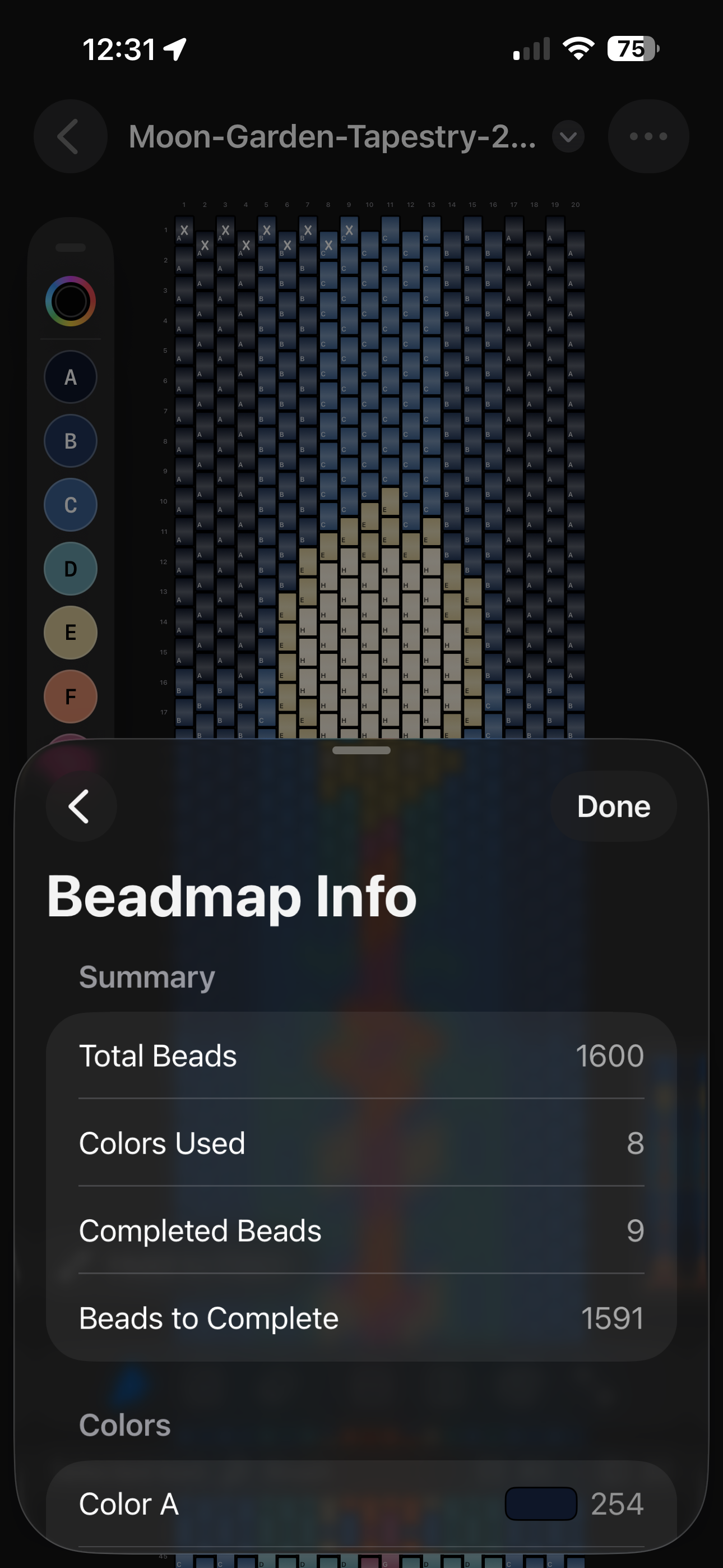
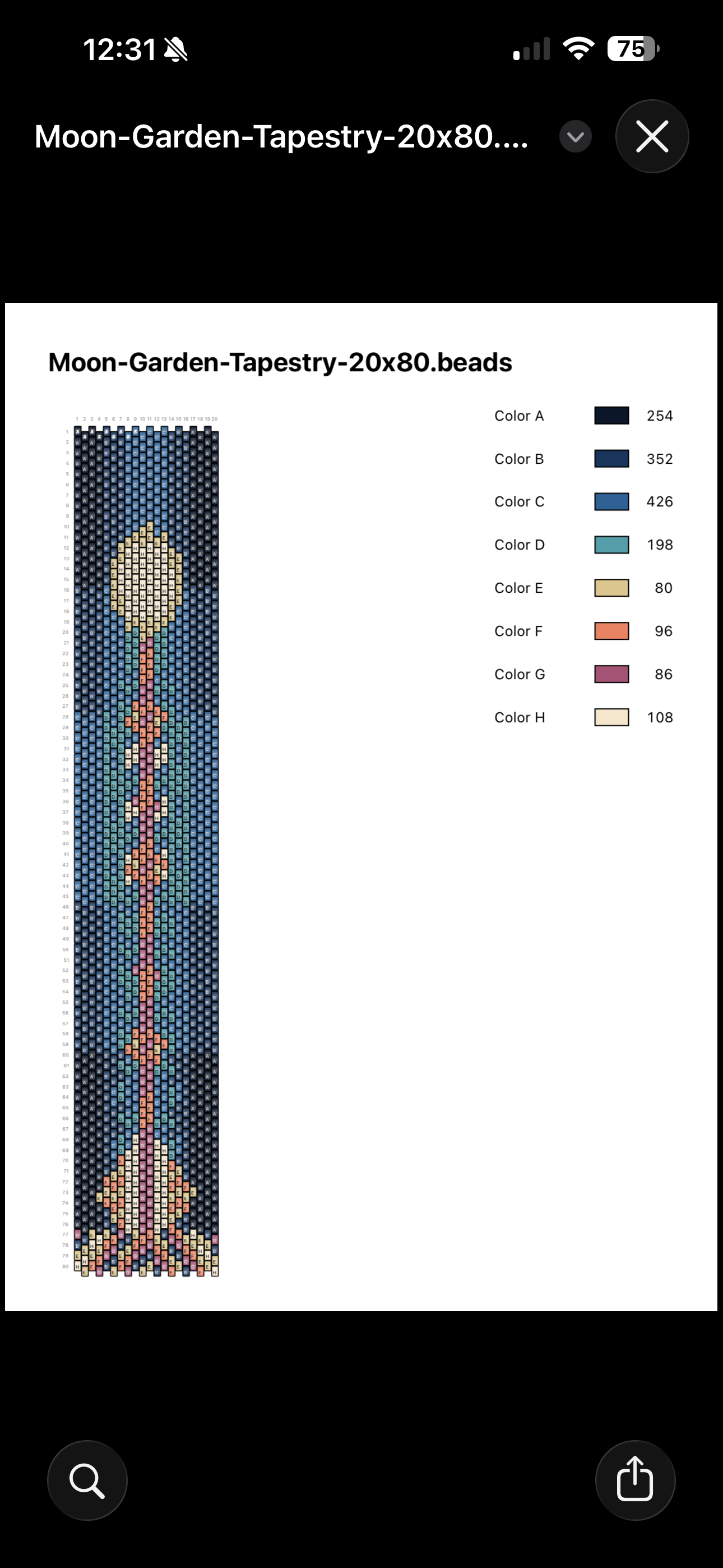
Mark finished beads as you assemble, open a summary sheet with totals and per-color counts, then export a printable PDF pattern sheet with a legend for reference away from the screen.

  • Visible completion overlays for in-progress work
  • Map info with totals, completion counts, and per-color breakdowns
  • Native share and print flows on iOS and macOS
Beadly on iPhone showing completed bead tracking and progress information Beadly export preview for a printable PDF pattern sheet

Apple platforms

Use iOS for quick edits and macOS for a wider design workspace.

Beadly is designed for Apple hardware from the start. iPhone keeps pattern work portable, while macOS gives you more room for large maps, palette management, and print preparation.

  • Native document workflow across Apple devices
  • Zoom, pan, mini-map, and bead labels for larger projects
  • Consistent editing model across iOS and macOS
Beadly on macOS with a detailed bracelet design workspace visible

Localization

Ready for an international audience.

The app is localized in Russian, German, French, Spanish, Japanese, and Chinese, alongside English. That support belongs on the landing page because it is a real part of the product, not an afterthought.

  • English
  • Russian, German, French, and Spanish
  • Japanese and Chinese
πŸ‡ΊπŸ‡Έ English πŸ‡·πŸ‡Ί Russian πŸ‡©πŸ‡ͺ German πŸ‡«πŸ‡· French πŸ‡ͺπŸ‡Έ Spanish πŸ‡―πŸ‡΅ Japanese πŸ‡¨πŸ‡³ Chinese

How It Works

A straightforward workflow for bracelet design.

Beadly is built around a document workflow, so the app stays simple even when your pattern gets large.

01

Start a new bracelet map

Create a new .beads document, choose your map dimensions, and begin with an empty canvas sized for the bracelet you want to design.

02

Paint the pattern bead by bead

Use Brush, Mark, and Erase to build the pattern, then zoom, pan, and adjust rows or columns as the layout evolves.

03

Organize colors and palette codes

Let Beadly generate a palette from the design, assign codes to each color, and replace a shade globally when you need to refine the pattern.

04

Track progress while you bead

Mark completed beads as you work so the map becomes both a design tool and a live production reference.

05

Review counts before you start

Open the map info sheet to check totals, completion counts, and per-color quantities before exporting or printing.

06

Export a printable pattern

Generate a PDF pattern sheet with a color legend, then print it or share it through the native iOS and macOS system workflows.

Need More Detail?

Read the full Beadly help guide.

Open the detailed manual for step-by-step instructions covering tools, palette controls, map resizing, printing, files, and purchase restore.

Open detailed help

Screenshots

Beadly across iPhone and macOS.

The interface stays consistent across platforms: quick edits on iPhone, a larger planning workspace on Mac, and printable output when the design is ready.

Beadly iPhone screenshot showing the main canvas Beadly iPhone screenshot showing a secondary workflow Beadly macOS screenshot showing a detailed desktop workspace

Product model

Start with the trial, unlock unlimited colors when you need them.

Trial mode supports up to three colors, and a one-time purchase unlock removes that limit.